
NAS
Unraid drive failing SMART first steps
A SMART warning is not the moment to start replacing hardware. It is the moment to slow down, check backups, run a long test, and decide whether the disk is degrading or already failing.
Best for: Unraid operators who saw a SMART alert email, a red/yellow ball on a disk, or growing reallocated/pending sectors.
Start here: Capture state before any change
Main > <disk> > SMART (save attributes), Tools > Diagnostics (download bundle), document affected slot and disk model/serial.
Read the SMART evidence
- Open Main > <disk> > SMART and capture: Reallocated Sectors Count, Current Pending Sector Count, UDMA CRC Error Count, and Uncorrectable Sector Count.
- A small, stable Reallocated count from years ago is different from a count that has grown in the last week — record current values and compare on subsequent days.
- UDMA CRC errors point to cabling/controller faults, not the disk itself; re-seat the SATA and power cables before assuming the disk is the suspect.
- Run a SMART long test from the disk page and wait for completion before changing the array; short tests can pass while long tests find unrecoverable sectors.
Check the safety net before deciding
- Confirm a recent, restorable backup of all shares on the suspect disk exists — Unraid parity is not a backup.
- If the disk is the parity disk: a failed parity disk does not lose data immediately; replacement is straightforward and a rebuild restores parity.
- If the disk is a data disk and parity is valid: the array can rebuild the data disk from parity, but only if no other disk fails during the rebuild.
- If multiple disks show warnings: do not start a rebuild; that pattern points to controller/cable/power and rebuilding will not help.
Replace flow, in order
- Stop the array (Main > Stop) before physically removing or inserting any disk.
- Power down before opening the case if your bays are not hot-swap; refer to Unraid's replacement guide for your exact array version.
- Use a new disk that is at least as large as the disk being replaced (Unraid does not support smaller replacements without shrinking).
- After installing, assign the new disk to the slot in Main and start the array; the rebuild from parity will run automatically. Do not write heavily to other disks during the rebuild.
Evidence from the admin UI
Reference images and diagrams. Click any image to view full resolution.
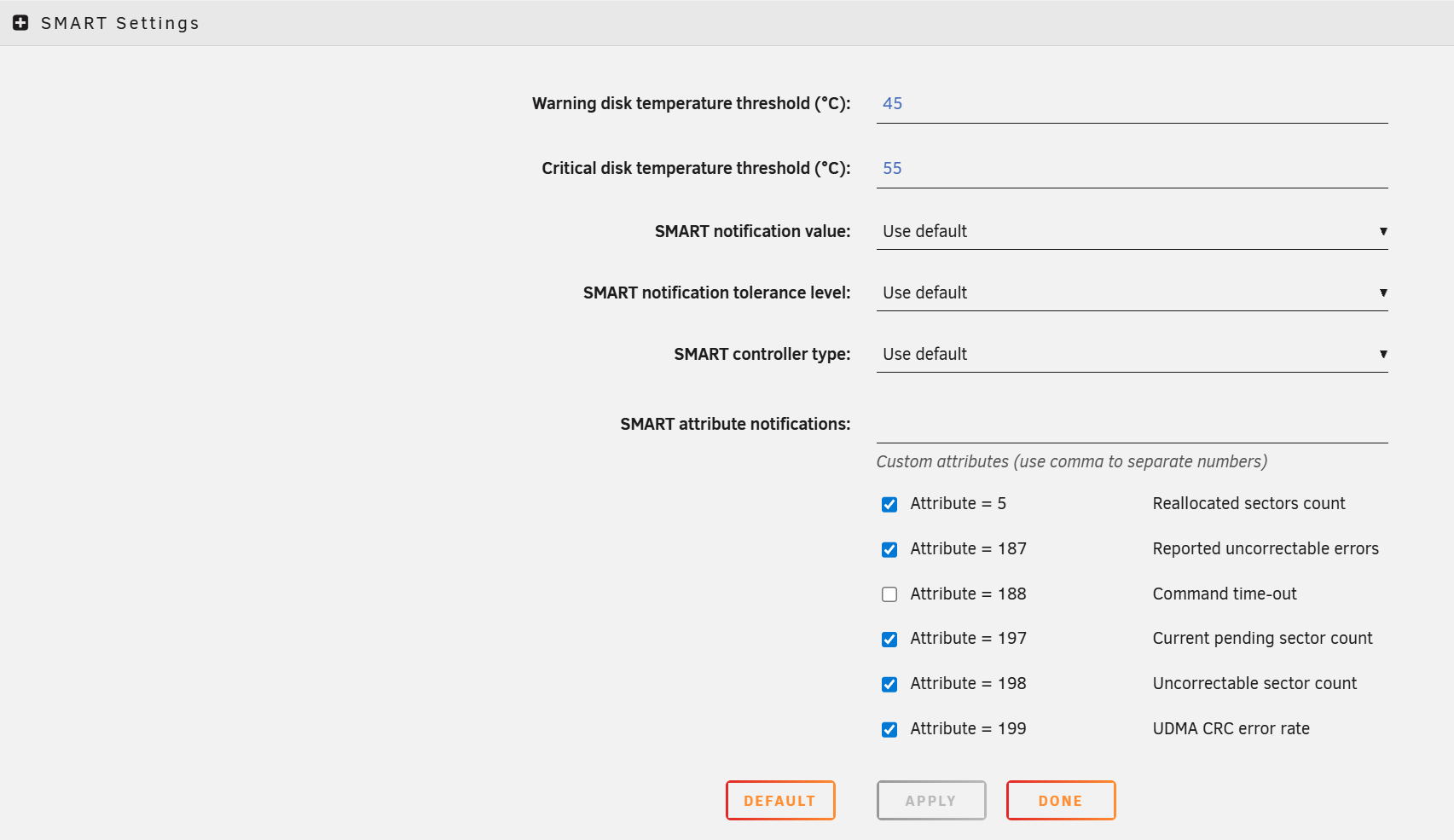
Open Main > <disk> > SMART and capture current counters.
Main > <disk> > SMART > attributes table
Reallocated Sectors, Current Pending Sectors, UDMA CRC Error Count, and Uncorrectable Sector Count are recorded.
Stop before replacement if the most recent backup is not current.
Layer path
Step-by-step runbook
Start here. Do each check in order, compare it to the expected result, and stop when the evidence explains the failure or the safe stop point applies.
Capture state before any change
Check: Main > <disk> > SMART (save attributes), Tools > Diagnostics (download bundle), document affected slot and disk model/serial.
Expected result: You have a saved bundle and recorded counters.
If not: If diagnostics fails to download, the server itself is unstable; treat as higher priority.
Run SMART long tests on every disk
Check: Main > <each disk> > SMART > Run Extended test, then wait for completion (can take hours per disk).
Expected result: Every disk completes without failure; only the suspect disk shows degraded attributes.
If not: If multiple disks fail or abort, do not rebuild; treat as controller/power issue.
Verify backup of irreplaceable shares
Check: Open the backup tool (Hyper Backup, Borg, restic, rclone, whatever is configured) and confirm the latest job succeeded and a sample restore works.
Expected result: Backup is current and a test restore opens a real file.
If not: If backup is not verified, run a backup before any replacement.
Safe stop: Stop before replacement if the most recent backup is not current.
Address cable/power suspects first
Check: Power down the server, re-seat SATA and power cables on the suspect disk; if UDMA CRC was the signal, swap to a known-good SATA cable.
Expected result: After power-up, SMART CRC counters stop growing.
If not: If CRC continues to grow with a known-good cable, the disk or controller is the suspect.
Replace via the Unraid flow
Check: Stop the array, power down if needed, install the new disk (>= size of disk being replaced), assign to the slot in Main, start the array. Rebuild runs automatically.
Expected result: Rebuild completes; SMART on the new disk is clean.
If not: Do not write heavily to other disks during the rebuild.
Safe stop: Stop the rebuild and capture diagnostics if any other disk shows errors mid-rebuild.
Did this solve your problem?
Your answer helps us improve this page.
No account or personal details. We store the page, answer, optional reason and day with a 90-day retention period. A random reference in this browser prevents repeat votes. Feedback privacy
Decision tree
If: Reallocated Sectors small (< 10) and stable over weeks.
Then: Disk has reallocated sectors historically but is currently stable.
Action: Monitor; do not replace yet. Re-check SMART monthly and capture the bundle.
If: Reallocated or Pending Sectors growing across checks.
Then: Disk is actively degrading.
Action: Replace the disk using Unraid's replacement flow; restore backup readiness first.
Safe stop: Stop before starting the rebuild if backup of irreplaceable shares is not current.
If: UDMA CRC Error Count non-zero and rising.
Then: SATA cable, port, or backplane is the suspect, not the disk itself.
Action: Power down, re-seat SATA and power cables (or swap to a known-good cable), then retest. Replace the disk only if CRC errors continue with a known-good cable.
If: SMART long test reports 'completed: read failure' or aborted.
Then: Disk is failing now, not 'might fail'.
Action: Treat the array as at-risk; verify backup, then start replacement immediately.
Safe stop: Stop heavy writes to the array until the replacement is complete.
If: Multiple disks show new SMART warnings simultaneously.
Then: Controller, PSU, or cabling — not disk-level failure.
Action: Power down, inspect PSU connector layout and SATA cables, check syslog for controller errors; do not start a rebuild.
Evidence table
| Symptom | Evidence to collect | Likely layer | Next action |
|---|---|---|---|
| Reallocated grew from 0 to 5 in one week. | Main > <disk> > SMART; weekly screenshots show the growth. | Active disk degradation. | Verify backup, then replace via Unraid replacement flow. |
| UDMA CRC Error Count = 47 and rising. | SMART attribute 199 on the affected disk; other disks at 0. | SATA cable or controller port. | Power down, swap the SATA cable on that disk, retest; replace disk only if errors continue. |
| Two disks show new warnings the same day. | Both warned within hours of each other; syslog shows controller resets. | Power supply or controller. | Power down, inspect PSU SATA power chain; do not rebuild before fixing the shared cause. |
| SMART long test aborted at 90%. | Test result: 'Completed: read failure' or 'Aborted by host'. | Disk failure in progress. | Plan immediate replacement; verify backup before starting the rebuild. |
Commands and settings paths
SMART attribute snapshot
Main > <disk> > SMART > attributes tableWhere: In the Unraid web UI for the suspect disk and at least one healthy disk for comparison.
Expected: Reallocated Sectors, Current Pending, UDMA CRC, and Uncorrectable counters are recorded with date.
Failure means: Without baseline numbers, you cannot tell stable from growing.
Safe next step: Save the page (PrtScn) off-array for week-over-week comparison.
SMART long test
Main > <disk> > SMART > Run > Extended (Long) testWhere: In the Unraid web UI for each disk in question.
Expected: Long test completes without 'read failure' or 'aborted' status.
Failure means: Failed long test means the disk is failing now, not might-fail.
Safe next step: Do not start a rebuild until every remaining disk passes a long test.
Diagnostics bundle
Tools > Diagnostics > DownloadWhere: In the Unraid web UI; downloads <server>-diagnostics-YYYYMMDD-HHMM.zip.
Expected: The bundle contains syslog, all SMART reports, and array state at the moment of capture.
Failure means: Without the bundle, evidence is lost if the disk fails or is removed.
Safe next step: Save the bundle off-array before any physical work.
Array stop before physical work
Main > Array Operation > StopWhere: In the Unraid web UI before opening the case (if bays are not hot-swap).
Expected: Array is stopped (status: Stopped) and writes are quiesced.
Failure means: Removing a disk on a running, non-hot-swap array can damage the controller or other disks.
Safe next step: Power down completely if the bay design or your comfort level requires it.
Hardware and platform boundary
Change only when
- Replace a disk after SMART evidence (growing Reallocated/Pending) or a failed long test; do not replace based on a single alert with stable counters.
Evidence that matters
- Replacement disk capacity (>= the disk being replaced), warranty status, model from the supported list, and backup readiness matter.
Evidence that does not matter
- Drive RPM marketing, helium versus air, and brand alone do not matter without SMART evidence.
Avoid
- Avoid replacing a disk based on a single alert without checking cabling and SMART long test first.
Last reviewed
2026-05-07 · Reviewed by HomeTechOps. Reviewed for Unraid SMART triage using attribute snapshots, long tests, diagnostics bundle, cable/power isolation, backup readiness, and the safe replace/rebuild sequence.
Source-backed checks
HomeTechOps turns official docs and conservative safety rules into a shorter runbook. These links are the source trail for the page direction.
Planning a purchase?
We keep a source-backed, price-free comparison so you can buy once and right. No star ratings, every spec cited.
NAS Drives: WD Red vs IronWolf vs N300 →Get the deal & firmware alerts
Home Stack Field Notes: NAS deals, firmware changes worth acting on, restore-test reminders, and new decision guides — plus the capacity & backup sizing cheatsheets from our calculators. Unsubscribe anytime.
Subscribe on beehiiv