
NAS
Unraid Parity Check Errors: Correcting vs Non-Correcting
Parity errors on Unraid are diagnostic signal, not damage. The wrong response (an immediate correcting check or a disk swap) can lock in bad data. The right response is to read the history, check SMART, and decide before writing.
Best for: Unraid operators who saw 'errors found' in a scheduled parity check or got an email alert from the array.
Start here: Capture state without changing anything
Tools > Parity History (record counts and type) and Tools > Diagnostics (download bundle, save off-array).
I'm here because… (find your section in 30 seconds)
- I just got an email / saw 'errors found' and I want to know if I should panic → start with the next section 'What parity check errors actually mean', then 'Decide whether to correct'. tl;dr: don't run a correcting check yet. Most error reports after an unsafe shutdown are benign — but you have to look at the evidence first.
- The check was scheduled (non-correcting) — what now? → 'Read the evidence before acting'. Open Tools > Diagnostics, download the bundle, check Parity History, check SMART on every disk. Only then decide.
- The check was manual (correcting, by default) and it already wrote — am I in trouble? → 'Read the evidence before acting' + 'Decide whether to correct'. If a data disk was the wrong side, correcting just locked the corruption into parity. Recovery now requires a known-good backup, not parity.
- Errors keep growing across checks → that's the SMART/cable-degradation pattern, not a one-shot parity drift. Cross over to `/nas/unraid-drive-failing-smart-first-steps` for the SMART-evidence flow.
- Recent unsafe shutdown → expected to produce some parity errors; not alarming on its own if SMART is clean across the array. See 'What parity check errors actually mean' for the bound on 'benign' vs 'investigate'.
- A disk is now red-balled / disabled → recovery is a different flow. Stop here, jump to `/nas/unraid-drive-failing-smart-first-steps`. Don't replace or rebuild until you've read the diagnostics.
- I want to know the difference between correcting and non-correcting → 'What parity check errors actually mean' + the `/nas/unraid-parity-cache-pool-setup` page covers the toggle defaults and decision criteria.
What parity check errors actually mean
- An Unraid parity check compares the parity disk to the XOR of all data disks; a sync error means at least one bit disagrees.
- A non-correcting check (default for scheduled checks) reports errors without writing — this is the diagnostic mode you want first.
- A correcting check writes parity to match the current data state, which can lock in corruption if a data disk is actually the wrong side.
- Recent unsafe shutdowns, RAM issues, SATA/power cable faults, and failing disks are the usual root causes — not Unraid itself.
Read the evidence before acting
- Do these in order before any other action — don't skip ahead, don't run another check yet.
- 1) Open Main > Array Devices. Confirm the parity disk and all data disks show no red ball, no missing status, and no fresh SMART warnings. A red-balled disk changes the entire flow — stop here and jump to `/nas/unraid-drive-failing-smart-first-steps`.
- 2) Open Tools > Parity History. Record the date, duration, error count, and whether the check was correcting or non-correcting. A scheduled check is non-correcting by default; a manual check defaults to correcting. This determines whether parity was just measured or already overwritten.
- 3) Open Tools > Diagnostics > Download. Save the bundle before any further action — the bundle is the only place that captures the array's state if a disk later fails. Name it with today's date and the error count, e.g. `diagnostics-2026-05-31-37errors.zip`.
- 4) Cross-check the syslog for context around when the errors appeared. From the UI: Tools > System Log > use the filter box, search for `unsafe shutdown`, `CRC error`, or `mdcmd`. From the CLI (Tools > Terminal): `grep -E 'unsafe|mdcmd|CRC|sync error' /var/log/syslog | tail -100`. Note any unsafe-shutdown line within 48 hours of the errors — that's almost always the root cause and explains benign drift.
- 5) Run a SMART short test on every array disk: Main > click the disk > SMART tests > Short. Takes ~2 minutes per disk and runs in parallel. Wait for results before deciding on next steps.
Decide whether to correct
- Default decision: do NOT run a correcting check yet. A non-correcting re-check after fixing the suspected root cause (cables, RAM, power, recent unsafe shutdown) is almost always the safer next step.
- If the error count is small (<100), SMART is clean across the array, and you've identified an unsafe shutdown as the root cause: a non-correcting re-check that returns 0 errors is your green light. The original errors were benign post-shutdown drift, and parity self-recovered.
- If error counts are growing across consecutive checks (e.g. 5 errors → 50 → 500 over three monthly checks): a disk is degrading. Do NOT run a correcting check — it would write the bad disk's contents into parity. Run SMART long tests on every disk and look for the disk with growing reallocated/pending/UDMA CRC.
- If a disk shows reallocated or pending sectors: that disk is the suspect. Don't correct parity — parity is currently correct and the data disk is wrong. Follow the disk-replace flow (`/nas/unraid-drive-failing-smart-first-steps`) rather than rewriting parity from the failing disk.
- If UDMA CRC errors on any disk are growing: that's a cable or backplane fault, not a disk fault. Power off, reseat the cable on both ends, and run a non-correcting check before doing anything else. UDMA CRC writes through to parity if you correct — same propagation risk.
- Only run a correcting check when you are certain the parity disk (not a data disk) is the divergent one AND all SMART data is clean AND you've ruled out unsafe-shutdown drift. That's a narrow case — usually you don't get here.
Evidence from the admin UI
Reference images and diagrams. Click any image to view full resolution.

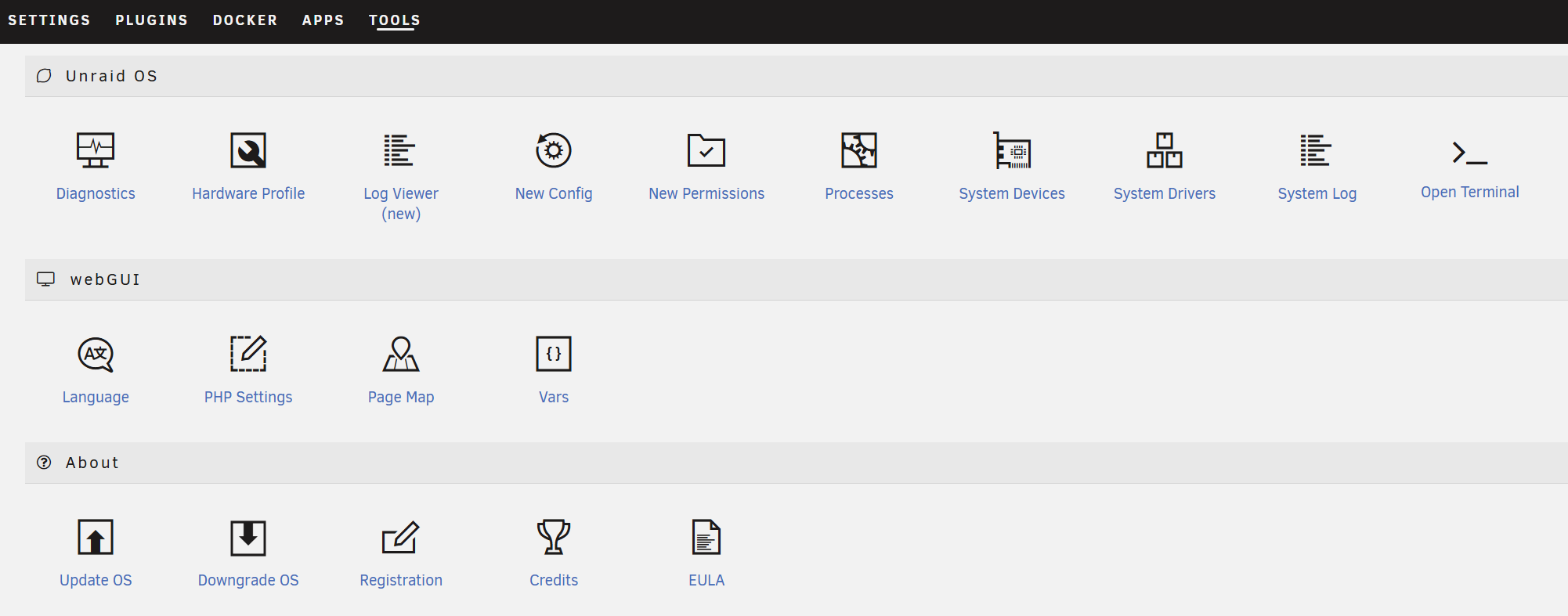
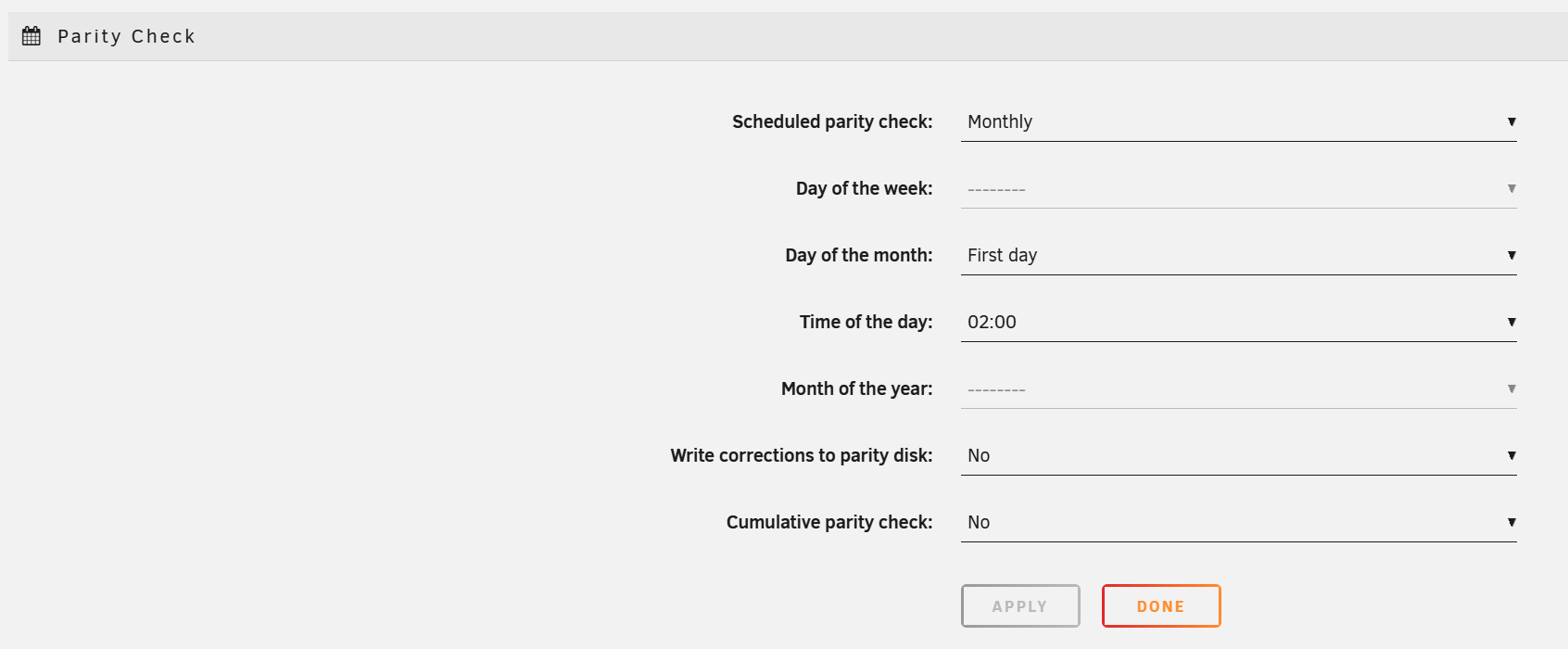
Open Tools > Parity History.
Tools > Parity History
The history lists each check with date, duration, error count, and whether the check was correcting or non-correcting.
Stop for heat, swelling, odor, or any electrical safety signal.
Layer path
Step-by-step runbook
Start here. Do each check in order, compare it to the expected result, and stop when the evidence explains the failure or the safe stop point applies.
Capture state without changing anything
Check: the "Parity History review" command below (record counts and type) and Tools > Diagnostics (download bundle, save off-array).
Expected result: You have a saved bundle and a written record of the failing check.
If not: If diagnostics download fails, the UI/server itself may be unstable; treat as a higher-priority issue.
Confirm SMART across every disk
Check: Main > <each disk> > SMART > note Reallocated Sectors, Current Pending, UDMA CRC, Uncorrectable.
Expected result: All counters are zero or stable (not growing).
If not: Any disk with new errors is the suspect; do not start a correcting check.
Address root cause
Check: Re-seat SATA/power cables on powered-down server, verify UPS protects against unsafe shutdowns, run memtest if RAM is suspect.
Expected result: Cabling is firm, UPS shutdown integration is configured, RAM passes memtest.
If not: Without addressing root cause, errors will return.
Safe stop: Stop for heat, swelling, odor, or any electrical safety signal.
Run a non-correcting parity check
Check: Main > Parity Check > Start (uncheck 'Write corrections to parity' — it is pre-checked by default on manual runs in Unraid 7.3.x, so confirm it is off before starting).
Expected result: Check completes with zero errors during a quiet window.
If not: If errors persist with zero load and clean SMART, the parity disk itself may be the suspect.
Only then consider correcting
Check: Main > Parity Check > Start (with corrections enabled) ONLY if SMART is clean, syslog is clean, and the cause is understood.
Expected result: Correcting check completes; subsequent non-correcting checks return zero errors.
If not: If the correcting check itself finds errors mid-run, stop and capture diagnostics again.
Safe stop: Stop before correcting if any disk shows reallocated/pending sectors.
Did this solve your problem?
Your answer helps us improve this page.
No account or personal details. We store the page, answer, optional reason and day with a 90-day retention period. A random reference in this browser prevents repeat votes. Feedback privacy
Decision tree
If: Errors found after a recent unsafe shutdown, all SMART clean.
Then: Likely benign sync drift from in-flight writes during the unsafe shutdown.
Action: Schedule a non-correcting check during a quiet window after fixing whatever caused the unsafe shutdown (UPS, power, kernel panic).
If: Errors growing across multiple consecutive checks.
Then: Hardware is degrading; this is not a one-time event.
Action: Run SMART long tests on every disk individually and replace the disk that fails first.
Safe stop: Stop before running another correcting check until the failing disk is identified.
If: One disk shows reallocated or pending sectors AND errors found.
Then: That disk is the suspect; parity divergence is the symptom.
Action: Treat as a failing disk; follow the SMART triage / replace flow rather than correcting parity.
If: Multiple disks show CRC errors simultaneously.
Then: Controller, cable, or power, not disk-level failure.
Action: Power down, re-seat SATA and power cables, then retest before any rebuild.
Safe stop: Stop before replacing any single disk on the assumption it is failing.
If: Zero errors after re-seating cables and addressing unsafe shutdown.
Then: Original cause was external (power/cable); array is healthy.
Action: Re-enable scheduled non-correcting parity checks and monitor.
Evidence table
| Symptom | Evidence to collect | Likely layer | Next action |
|---|---|---|---|
| Errors found right after a power outage. | Syslog has 'unsafe shutdown detected' and parity error count is small. | Pending writes flushed inconsistently. | Add UPS protection with safe shutdown; non-correcting check after the next clean reboot. |
| Errors grow each parity check. | Parity History shows increasing error counts month over month. | Disk or controller failure in progress. | Run SMART long test on every disk; identify the disk with new reallocated/pending sectors. |
| UDMA CRC errors on a specific data disk. | SMART attribute 199 (UDMA CRC Error Count) is non-zero and rising. | SATA cable, port, or backplane issue. | Power down, re-seat or replace the SATA cable on that disk; retest. |
| Errors only on one specific scheduled check. | That check ran during a backup or Mover run. | Disk IO contention during the check (rare but possible). | Schedule parity checks outside backup/Mover windows; retest. |
Commands and settings paths
Parity History review
Tools > Parity HistoryWhere: In the Unraid web UI under Tools menu.
Expected: The table lists each check date, duration, error count, and check type (correcting or non-correcting).
Failure means: If history is empty, scheduled checks are disabled; enable them in Settings > Scheduler.
Safe next step: Capture the row(s) showing errors and the check type before any further action.
Diagnostics bundle
Tools > Diagnostics > DownloadWhere: In the Unraid web UI; downloads <server>-diagnostics-YYYYMMDD-HHMM.zip.
Expected: The .zip contains syslog, SMART reports, mdcmd output, and array state.
Failure means: Without the bundle, evidence is lost if a disk fails or the array is rebuilt.
Safe next step: Save the bundle off-array (Windows PC, separate USB) before changing array state.
SMART long test per disk
Main > <disk> > SMART > Run > Extended (Long) testWhere: In the Unraid web UI for each data disk and the parity disk.
Expected: Long tests complete without 'failure' status; no new reallocated/pending sectors.
Failure means: Any disk that fails the long test or shows growing reallocated/pending sectors is the suspect.
Safe next step: Do not start a correcting parity check or rebuild until every disk passes the long test.
Non-correcting parity check
Main > Parity Check > Start with 'Write corrections to parity' unchecked (note: this box is pre-checked by default on manual runs in 7.3.1)Where: In the Unraid web UI after addressing root causes.
Expected: Check completes with zero errors.
Failure means: Errors > 0 means the cause is not fully addressed yet; re-read SMART and syslog.
Safe next step: Repeat once more after a known-clean shutdown before considering the array healed.
Hardware and platform boundary
Change only when
- Replace a disk after a SMART long test fails or reallocated/pending sectors grow across checks; do not replace based on a single parity error count.
Evidence that matters
- Disk health (SMART), controller/cable health (UDMA CRC), parity-disk capacity matching the largest data disk, and UPS shutdown integration matter.
Evidence that does not matter
- Drive brand reputation and marketing capacity numbers do not matter if SMART evidence is clean.
Avoid
- Avoid running a correcting check as the first response to errors; avoid replacing a disk without SMART evidence.
Last reviewed
2026-05-07 · Reviewed by HomeTechOps. Reviewed for Unraid parity error triage using Parity History, Diagnostics bundle, per-disk SMART long tests, syslog evidence, and non-correcting vs correcting check sequencing.
Source-backed checks
HomeTechOps turns official docs and conservative safety rules into a shorter runbook. These links are the source trail for the page direction.
Planning a purchase?
We keep a source-backed, price-free comparison so you can buy once and right. No star ratings, every spec cited.
NAS Drives: WD Red vs IronWolf vs N300 →Get the deal & firmware alerts
Home Stack Field Notes: NAS deals, firmware changes worth acting on, restore-test reminders, and new decision guides — plus the capacity & backup sizing cheatsheets from our calculators. Unsubscribe anytime.
Subscribe on beehiiv