
Self-Hosting
Home reverse proxy: NPM, Caddy, Traefik, or Pangolin
Once you run 4+ self-hosted services at home, manually managing TLS certs and remembering port numbers becomes the worst part of operating the stack. A reverse proxy fixes both: services live behind nice URLs like `jellyfin.example.com`, get automatic Let's Encrypt certs, and you stop port-forwarding individual services to the internet. The decision is which proxy — Nginx Proxy Manager (NPM, click-through GUI, beginner-friendly), Caddy (single binary, Caddyfile config-as-code, lightest), Traefik v3 (Docker-label-driven, container-auto-discovery), or Pangolin (newer, built-in identity layer, runs as Cloudflare Tunnel alternative). Most operators start with NPM and migrate when they outgrow GUI clicks. If you are still deciding between them rather than setting one up, the head-to-head is on Pangolin vs Caddy vs Traefik vs NPM — it leads with the question that actually decides it, which is whether you can forward ports at all.
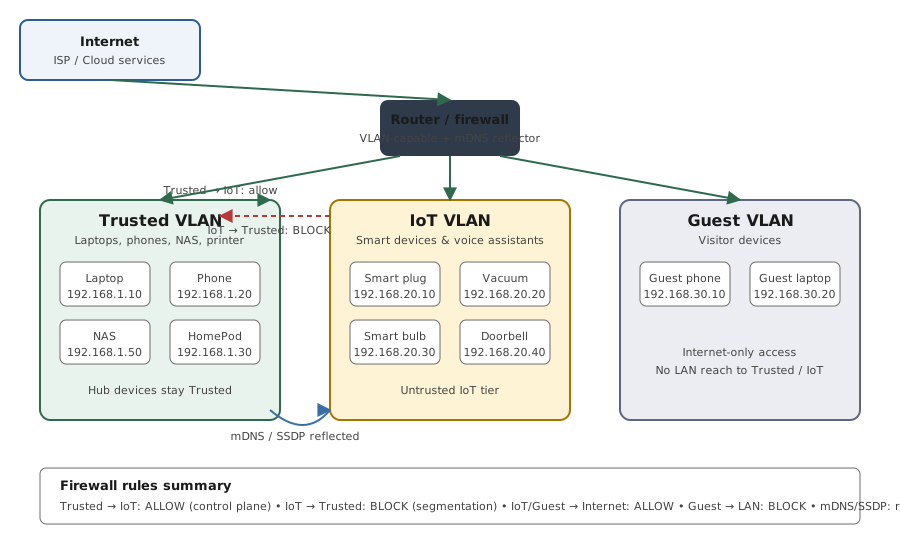
Reverse proxy topology and the mixed-platform pattern
Reference images and diagrams. Click any image to view full resolution.
Who this is for
Operators running 4+ self-hosted services at home (Plex, Jellyfin, Home Assistant, Nextcloud, Immich, *arr stack, Vaultwarden, Frigate) who want them behind nice URLs with automatic TLS, without manually managing certs per service.
Outcome
A working reverse proxy serving all your home services under wildcard `*.example.com`, with the right tool for your operating style (NPM for GUI, Caddy for config-as-code, Traefik for Docker-label-driven, Pangolin for CGNAT). Public services have SSO in front; admin services stay on Tailscale.
Required inputs
- A domain you control (Cloudflare-hosted DNS recommended for DNS-01 wildcard certs).
- One always-on host on the LAN to run the reverse proxy (Unraid most common; dedicated Raspberry Pi 4/5 is the second-most-recommended).
- Port 80 + 443 forwarded from the router to the proxy host (unless behind CGNAT — then Pangolin or Cloudflare Tunnel replaces port forwarding).
- List of services to put behind the proxy, with their LAN IPs and ports.
Step-by-step procedure
Decide which proxy fits your operating style
Do: Match the tool to your style (2026 versions: NPM v2.14, Caddy v2.11, Traefik v3.7): GUI + visual debugging → NPM; config-as-code with automatic HTTPS by default → Caddy; Docker-label auto-discovery → Traefik; CGNAT / no port-forward → Pangolin (self-hosted) or Cloudflare Tunnel. A tunnel solves reachability while a reverse proxy solves hostname routing + TLS on your own network — they compose. Most home operators start with NPM.
Expected result: Choice made; matches your comfort with text config vs UI clicking.
If not: If unsure, default to NPM — the migration path NPM → Caddy is straightforward; reverse migration is painful.
Set up DNS + wildcard Let's Encrypt cert (DNS-01)
Do: Move domain DNS to Cloudflare. Create an API token (dash.cloudflare.com > My Profile > API Tokens) scoped `Zone:Zone:Read + Zone:DNS:Edit`. Configure your proxy's DNS-01 provider with the token; request the `*.example.com` cert. DNS-01 is required for a wildcard AND for any internal-only service with no public port 80. Caddy needs an xcaddy build with the Cloudflare DNS module; Traefik uses the cloudflare provider + `CF_DNS_API_TOKEN`. Test issuance against the Let's Encrypt staging environment first.
Expected result: Cert issued for `*.example.com`, renewal scheduled. The proxy can serve any new subdomain without requesting a new cert.
If not: If cert request fails with 'No valid A/AAAA records', the API token lacks Zone scope. Don't iterate against production LE (you'll hit the 5-per-identifier-set/week limit) — use staging. And automate renewal: LE is trending to shorter-lived certs (the opt-in 6-day profile is GA; the 90-day default is heading toward 45).
Forward router port 80 + 443 to the proxy host
Do: Router admin > Port Forwarding > add 80 → proxy_host:80 and 443 → proxy_host:443. Reserve the proxy host's IP via DHCP reservation so it doesn't change.
Expected result: From outside cellular, `https://test.example.com` reaches the proxy (404 or similar response — meaning the request landed).
If not: If port 80 from outside is unreachable, you may be CGNAT'd or your ISP blocks inbound 80/443 — see /fix/cgnat-home-access-no-public-ip.
Add services to the proxy one at a time, simplest first
Do: Start with a stateless service (Uptime Kuma, Homepage, Grafana). Add it as a proxy host: `service.example.com` → `192.168.1.X:port`. Test from cellular before moving to the next.
Expected result: Service reachable at `https://service.example.com` with the wildcard cert valid (no browser warnings).
If not: If browser shows cert warning, the wildcard cert isn't being served — recheck the proxy's TLS config; verify cert is for `*.example.com` not just `example.com`.
Add tricky services with their specific quirks
Do: Plex: enable WebSocket pass-through; set Plex's Custom Server Access URLs. Home Assistant: configure `http.trusted_proxies` in configuration.yaml; WebSocket read_timeout 0. Nextcloud: client_max_body_size 16G + timeouts 3600s. Jellyfin: WebSocket + disable buffering. Immich: max body 50GB.
Expected result: Each service works through the proxy without errors. WebSocket-dependent features (Plex sync, HA real-time, Jellyfin SyncPlay) function.
If not: Service-specific failures usually trace to WebSocket pass-through, body-size limits, or X-Forwarded headers. See the per-service section.
Set up split-horizon DNS for internal-LAN access
Do: On your self-hosted DNS server (Pi-hole, AdGuard Home, Technitium), add wildcard A record `*.example.com → proxy_LAN_IP`. Internal clients hitting `jellyfin.example.com` go directly to the proxy on the LAN, never traversing WAN.
Expected result: Phone on home Wi-Fi loads `https://jellyfin.example.com` and DNS resolves to the proxy LAN IP, not the WAN IP.
If not: If clients still resolve to WAN IP, the local DNS server isn't being used — check DHCP issued DNS, or set static DNS on each client.
Add SSO in front of sensitive services (Authentik or Authelia)
Do: Install Authentik (new builds) or Authelia (minimal). Create one provider + one application for a test service. Wire the proxy to use ForwardAuth pointing at the SSO endpoint. Scope the trusted-proxy CIDR so the auth server only trusts X-Forwarded-* from the proxy's IP (otherwise clients spoof their identity). Add CrowdSec — it reads the proxy access logs, enforces via a bouncer, and fails open (if it goes down, the proxy still routes).
Expected result: Hitting the protected subdomain redirects to the SSO login; after login, the proxied service is reachable; CrowdSec shows decisions in its metrics.
If not: If a redirect loop happens, check the ForwardAuth header pass-through — the common bug is the proxy not forwarding the auth cookie back, or the auth server not trusting the proxy's X-Forwarded-For.
Keep admin services on Tailscale only — don't proxy them
Do: Sonarr, Radarr, qBittorrent, Proxmox UI, Container Manager admin UIs: leave LAN-only and reach them via Tailscale, not the public proxy. Even with SSO in front, admin UIs are too high-value to be reachable from a public hostname.
Expected result: These services have no public hostname; you reach them by Tailscale IP (or LAN IP from inside).
If not: If you've already exposed admin UIs publicly, set up Tailscale access and remove the public hostname.
Commands and settings paths
Verify wildcard cert installed correctly
openssl s_client -connect service.example.com:443 -servername service.example.com 2>/dev/null | openssl x509 -noout -subject -dates
Where: From any internet-reachable workstation.
Expected: Subject shows `CN = *.example.com`; notAfter date is 60+ days in the future after a renewal.
Failure means: Cert is per-host (CN = service.example.com) instead of wildcard, OR renewal failed and cert is expiring.
Safe next step: Re-request wildcard via the proxy's DNS-01 config; check API token scope; check cert renewal job in proxy logs.
Check proxy can reach upstream service
From proxy host: `curl -k https://192.168.1.X:port/`
Where: SSH to the proxy host.
Expected: Service responds (200 / 302 / login page). Confirms the upstream is reachable from the proxy.
Failure means: Service is down, wrong IP/port, or firewall blocking proxy-to-service traffic.
Safe next step: Verify service is running; confirm IP + port; check any LAN firewall rules.
Verify DNS-01 TXT record propagation
dig TXT _acme-challenge.example.com @1.1.1.1 (or nslookup -type=TXT)
Where: Any machine; check against a public resolver.
Expected: The ACME challenge TXT record is present and matches what the proxy set.
Failure means: If the TXT isn't visible publicly, DNS-01 issuance fails — token lacks scope, propagation lag, or the internal resolver can't see the public record.
Safe next step: Set public resolvers (1.1.1.1 / 8.8.8.8) in the proxy's ACME config; widen the Cloudflare token scope; wait for propagation.
Debug a 502 by curling the backend from inside the proxy container
docker exec <proxy> wget -qO- --timeout=5 http://backend:8080 (or curl)
Where: On the Docker host.
Expected: The backend responds — proving the proxy can reach the upstream over the shared Docker network.
Failure means: No response = wrong container name, wrong INTERNAL port (not the published host port), or proxy + backend not on the same Docker network.
Safe next step: `docker network inspect <net>` to confirm shared membership; `docker network connect <net> <container>`; fix the upstream name/port.
Check for a redirect loop / wrong SNI cert
curl -vI https://service.example.com (watch for repeated 301/308); openssl s_client -connect host:443 -servername host
Where: Any internet-reachable workstation.
Expected: A single final 200/302 and the correct wildcard cert for the SNI host.
Failure means: Repeated 301/308 = redirect loop (often Cloudflare 'Flexible' SSL + an origin HTTPS redirect). Wrong/expired cert = missing -servername / SNI misconfig.
Safe next step: Set Cloudflare SSL to Full (Strict); ensure the origin honors X-Forwarded-Proto; always pass -servername when testing.
Evidence to record
- Proxy config (Caddyfile, Traefik labels, NPM exported JSON) committed to Git.
- Cloudflare API token + zone scope screenshotted (mask the token itself).
- Test results: each service reachable via public URL with wildcard cert; SSO works on protected ones; split-horizon DNS resolves internally.
- Cert renewal date noted (Let's Encrypt 90-day cycle; renew at 60 days).
Common mistakes
- Exposing admin UIs (Sonarr, Radarr, Proxmox, NAS admin) through the public proxy — even with SSO in front, the attack surface is too high.
- Exposing the proxy's OWN admin surface publicly — Traefik dashboard with `api.insecure=true`, or NPM's admin on port 81. Keep those LAN/VPN-only.
- Trusting X-Forwarded-For from everywhere — backends and auth (Authelia/Authentik) must only trust proxy headers from the proxy's IP/CIDR, or clients spoof their IP and bypass IP rules / poison fail2ban.
- Mounting the Docker socket read-write into the proxy — use a read-only socket-proxy (e.g. tecnativa/docker-socket-proxy) + `no-new-privileges` so a proxy compromise isn't root over Docker.
- Per-service certs instead of a wildcard — hammering issuance hits Let's Encrypt's 5-per-exact-identifier-set/week limit; test against the LE staging environment and use a wildcard.
- Cloudflare 'Flexible' SSL + an origin that redirects HTTP→HTTPS — an infinite redirect loop. Use Full (Strict) and give the origin a real cert.
- Forgetting WebSocket upgrade headers on raw nginx — real-time features (HA, Jellyfin SyncPlay) break; Caddy/Traefik handle it automatically.
- Forgetting the `trusted_proxies` config in Home Assistant — HA refuses external requests with HTTP 400 until you set `use_x_forwarded_for: true` + the proxy IP.
- Enabling HSTS with `includeSubDomains`/`preload` before HTTPS is rock-solid — it locks browsers out of any HTTP subdomain for the max-age (often a year), and preload is hard to reverse.
- Routing Nextcloud large-file sync through Cloudflare Tunnel (100 MB cap) instead of through the home reverse proxy directly.
- Running the proxy on the same box as Plex with `network_mode: host` on both — they fight over ports 80/443.
- Not rebuilding Caddy with the DNS plugin (the stock image has no Cloudflare module) — wildcard/internal DNS-01 certs are then silently impossible.
Stop points
- Stop before exposing any service publicly without an SSO/auth layer if the service has sensitive controls (NAS admin, smart-home control of locks/cameras, file deletion).
- Stop before counting on Cloudflare Tunnel for personal video streaming (Plex/Jellyfin) — CDN terms restrict it; multiple operators report account warnings.
- Stop before exposing the proxy's own dashboard/admin (Traefik dashboard, NPM port 81) to the internet — keep it LAN/VPN-only behind auth.
- Stop before hammering Let's Encrypt during setup — test against the staging environment first so you don't burn the 5-per-identifier-set/week production limit.
- Stop before migrating production traffic from NPM → Caddy without keeping NPM running on an alternate port for a week as fallback.
Last reviewed
2026-05-18
Source-backed checks
HomeTechOps turns official docs and conservative safety rules into a shorter runbook. These links are the source trail for the page direction.
Did this solve your problem?
Your answer helps us improve this page.
No account or personal details. We store the page, answer, optional reason and day with a 90-day retention period. A random reference in this browser prevents repeat votes. Feedback privacy
Get the deal & firmware alerts
Home Stack Field Notes: NAS deals, firmware changes worth acting on, restore-test reminders, and new decision guides — plus the capacity & backup sizing cheatsheets from our calculators. Unsubscribe anytime.
Subscribe on beehiiv